Posts

Showing posts with the label firestick iptv

2021 Choose a really good IPTV Bestiviewhdiptv
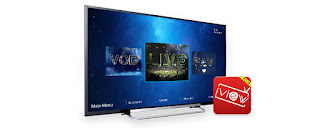
Image
  Do you think sling TV or PS Vue or something similar or cable TV or satellite TV costs too much, and the number of channels is too small, and you want to watch large-scale live sports events on the weekend with additional costs? When you are looking for a more cost-effective way to view, such as IPTV services, you are very upset that you don't know which  IPTV service provider  to choose? Which leads us to TRIALS. Resellers and newer providers do offer free trials but usually on the weekday since they are trying to establish their base. WEEKEND TRIALS are usually never free due to a large number of sporting events. But that doesn't prevent us from choosing the right IPTV Service. What should we do? Live Channels  Many IPTV service providers have a large number of channels, 5000 + or 10000 + or more channels, which is not very meaningful for us, because we spend a lot of time browsing one by one, and the more channels, the quality is not guaranteed, so 500-2000 ch...

How to use IPTV on Nvidia Shield?

Image
  Nvidia Shield TV is future proof compared to other devices. You’ll never get the fast zapping time compared to other boxes. Thanks to the power in it, Nvidia Shield TV is absolutely a beast. It has 256 GPU cores which makes it a perfect device for IPTV and much much more. So you have just got a new shiny Nvidia Sheild TV which we must admit is the best android tv box out there by far in terms of performance Anyway, let’s get down to  how to use  IPTV  on the Nvidia shield  so you get the best out of it and stream your favorite channels. Add IPTV application to NVIDIA shield If you have our  IPTV subscription , you can use our own application, which is fully customized and can work with our IPTV. Then  install IPTV on your firestick  as follows, but the steps are few, which is our own application. Let's get started 1. Open your web browser and go to https://www.bestiviewhdiptv.com/ 2. From the menu go into Download, Find and download...

How to use IPTV on firestick?

Image
  How to set up IPTV on Amazon Fire TV or Fire Stick? 1. Open the Amazon Store, search for the application  Downloader,  and install it. Note: With this application, you can download any Android application (APK) you want. 2. Open the Downloader and in the URL field put this:  iviewHD (Blue): bestiviewhdiptv.com/app/stbiv iviewHD Plus (Red): bestiviewhdiptv.com/app/stbivp iview Plus Sub-Device : bestiviewhdiptv.com/app/substb 3. After you download and install the app, go back to the  iview website  to get the Trial/Paid subscription code 4. Activate the code in the application to use the IView IPTV service   If you are new to IPTV, please read on for my step-by-step instructions on how to install and use the IView IPTV service on Firestick Come On, Follow Me! How to install & use iView HD IPTV on firestick? Because the iView HD IPTV app cannot be found inside any Play Store, it must be sideloaded when in...